SiliconPV Conference

How to attend online

The SilicoNPV 2026 Conference + bifiPV Workshop 2026 will take place in a hybrid format, allowing online participants to join the sessions live using a webinar tool called WebinarGeek.

Please take a moment to read the following steps to ensure that your online participation goes smoothly.


General information:

  • You do not need to download any software or app to use the webinar. The webinar is accessible through your web browser.
  • Please use one of the supported web browsers: Google Chrome, Microsoft Edge, Safari, Firefox 
  • Please ensure that your internet connection is stable.
Enter the conference webinar

You can enter the conference webinar through the digital program on the Fourwaves platform. The links to enter will be available in each session shortly before the conference.

  1. Make sure you are logged into the online platform using the same email address you used for your conference registration. If you don’t have your password available, please click “Forgot password?” and you will receive a new one by email.
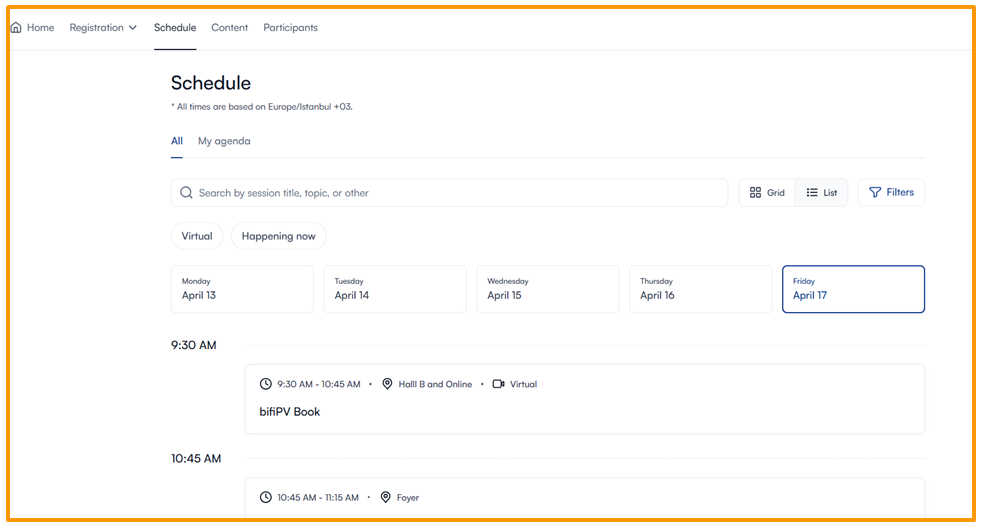
  2. Once in the schedule view, click on the session that is currently live or the next one on the schedule (See figure 1).
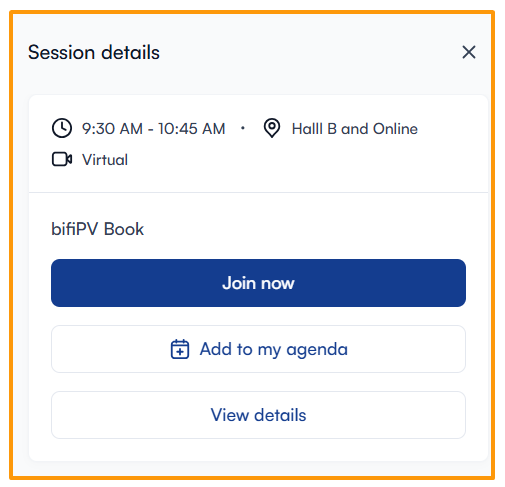
  3. Click “Join now” to open the webinar in a new browser tab (See figure 2).
  4. You can stay in the webinar all day. If you want to leave and reenter at a later time, simply choose the currently live session and follow the same steps.

During the conference webinar

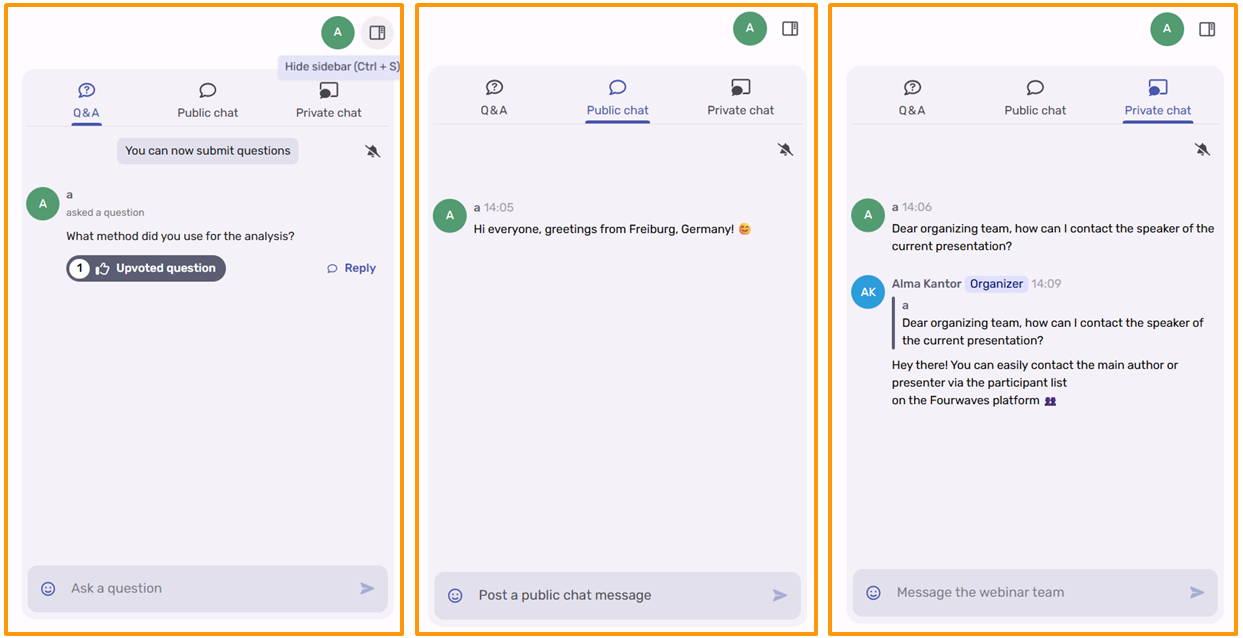
In the webinar, you have three options for engagement: Q&A; public chat; and private chat.

  • Q&A (Figure 3): Please use the Q&A function to ask questions relevant to the current presentation or session. The session moderator on-site will be able to see your questions and will try to include them in the Q&A section of the presentation. Please note that if many questions are submitted by online participants at the same time, the moderator may not be able to address all of them. If your question is not answered during the session, you may contact the main author or presenter via the participant list on the Fourwaves platform.
  • Public chat (Figure 4): Use the public chat to engage with other online attendees during the conference. If you're feeling sociable, feel free to introduce yourself and share where you're from. You can also reply to other participants and start conversations! Please do not use this section to ask questions about the presentations, as it is not monitored by the on-site session moderator. If you have a question about the session's contents, use the Q&A feature instead.
  • Private Chat (Figure 5): Use the private chat to communicate with the organization team. You can use it to let us know if you encounter any technical issues or have any questions about the conference or its organization.